Hantsport: Avonport Highway Cam
 Hantsport, কানাডা
Real-Time Environment
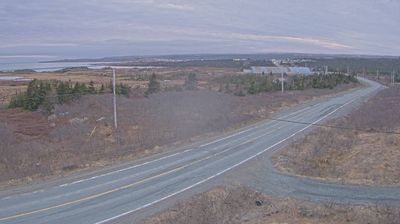
Welcome to the live streaming webcam for Hantsport: Avonport Highway Cam, perfectly situated in the vibrant region of Hantsport, কানাডা. Watching this live camera allows you to instantly experience the local atmosphere and monitor current climate conditions.
About Hantsport
Hantsport is an unincorporated community in the Canadian province of Nova Scotia, located in West Hants Regional Municipality. The community is situated at the western boundary between West Hants Regional Municipality and Kings County, along the west bank of the Avon River's tidal estuary. The community is best known for its former industries, including shipbuilding, a pulp mill, as well a marine terminal that once loaded gypsum, mined near Windsor. The community is the resting place of Victoria Cross recipient William Hall.
📖 Read more on Wikipedia📍 Location Facts
-
Country
 কানাডা
- Region Nova Scotia
- City Hantsport
- Coordinates 45.0714°N, -64.2226°E
Have you been to Hantsport?
Help the community! Share your experience, tell us about the weather, or upload your own photos from this exact location.